- UID
- 1152
- 主题
- 回帖
- 0
- 精华
- 积分
- 7740
- 金币
- 枚
- 草籽
- 颗
- 鲜花
- 朵
- 注册时间
- 2025-4-16
- 最后登录
- 1970-1-1
|
本帖最后由 云端漫步 于 2025-11-5 20:01 编辑
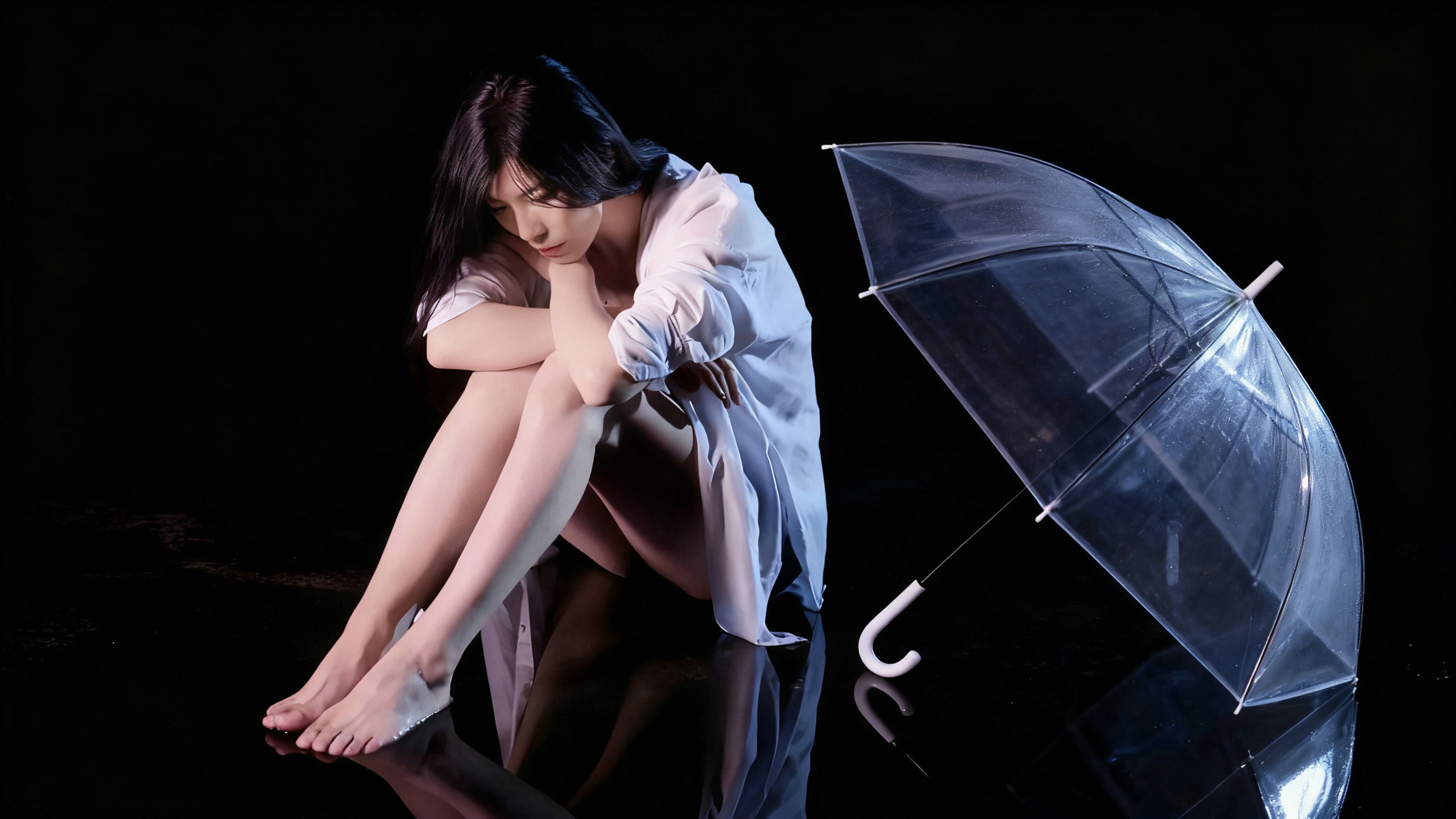
素心同学做个图,换背景与人物就行,人物扣出时将人物透明度降到80,输出人物png图,代码內去掉中文字。
// 扩大色相随机范围,增加颜色多样性 // 红色系,等。
- <style>
- #mydiv {
- margin: 130px 0 30px calc(50% - 700px);
- width: 1700px;
- height: 850px;
- position: relative;
- z-index: 3;
- overflow: hidden;
- user-select: none;
- box-shadow: 3px 3px 20px #000;
- background: lightblue url('https://kkshan.com/data/attachment/forum/202511/03/144051xy94hs36n53z3ycb.jpg') no-repeat center/cover;
- display: grid;
- place-items: center;
- }
- #vid1, #vid2 {
- position: absolute;
- width: 100%;
- object-fit: cover;
- pointer-events: none;
- }
- #vid1 {
- height: 110%;
- top: -80px;
- mix-blend-mode: screen;
- z-index: 2.5;
- opacity: 0.2;
- }
- #vid2 {
- height: 100%;
- mix-blend-mode: luminosity;
- -webkit-mask: linear-gradient(to bottom, transparent, transparent, transparent, red);
- z-index: 2;
- opacity: 0.95;
- }
- #overlay-png {
- position: relative;
- z-index: 5;
- }
- .rain-bubble {
- position: absolute;
- top: 850px;
- border-radius: 50%;
- pointer-events: none;
- z-index: 3;
- mix-blend-mode: screen;
- }
- @keyframes rise {
- from { transform: translateY(0); opacity: 0.5; }
- to { transform: translateY(-900px); opacity: 0.7; }
- }
- </style>
- <div id="mydiv">
- <div id="clouds-container"></div>
- <div id="bubble-container"></div>
- <img id="overlay-png" src="https://s21.ax1x.com/2025/11/03/pZSAHUK.png" onerror="this.style.display='none';">
- <video id="vid1" src="https://img.tukuppt.com/video_show/2418175/00/01/46/5b438926d8d48.mp4" autoplay loop muted></video>
- <video id="vid2" src="https://img.tukuppt.com/video_show/2475824/00/01/72/5b492fae7af99.mp4" autoplay loop muted></video>
- <audio id="aud" src="https://ting8.yymp3.com/new8/chenying2/5.mp3" autoplay loop></audio>
- </div>
- <br><br><br><br><br><br><br><br>
- <script>
- window.addEventListener('load', () => {
- const container = document.getElementById('mydiv');
- if (!container) return;
- const width = 1700;
- // 增加更多基础色相(涵盖红、橙、黄、绿、蓝、紫、粉等)
- const hues = [
- {h: 0, s: 60}, // 红色系
- {h: 30, s: 70}, // 橙色系
- {h: 60, s: 65}, // 黄色系
- {h: 120, s: 50}, // 绿色系
- {h: 180, s: 60}, // 青色系
- {h: 240, s: 65}, // 蓝色系
- {h: 270, s: 60}, // 紫色系
- {h: 330, s: 70}, // 粉色系
- {h: 300, s: 55}, // 玫红色系
- {h: 90, s: 60} // 黄绿色系
- ];
- const getColor = () => {
- const base = hues[Math.floor(Math.random() * hues.length)];
- // 扩大色相随机范围(±40度),增加颜色多样性
- const hue = base.h + (Math.random() - 0.5) * 40;
- // 饱和度随机范围扩大(±20%)
- const saturation = base.s + (Math.random() - 0.5) * 20;
- // 亮度范围调整(70%-95%),增加明暗对比
- const lightness = 70 + Math.random() * 25;
- // 透明度范围扩大(0.2-0.5)
- const alpha = 0.2 + Math.random() * 0.3;
- // 光斑位置随机范围扩大,增强光影变化
- const pos = `${10 + Math.random() * 80}% ${10 + Math.random() * 80}%`;
-
- return {
- background: `radial-gradient(circle at ${pos},
- hsla(${hue}, ${saturation}%, ${lightness + 15}%, ${alpha * 0.7}),
- hsla(${hue}, ${saturation}%, ${lightness}%, ${alpha * 0.9}) 60%,
- hsla(${hue}, ${saturation}%, ${lightness - 10}%, ${alpha}))`,
- border: `1px solid hsla(${hue}, ${saturation}%, ${lightness + 20}%, ${alpha * 0.9})`,
- boxShadow: `0 0 10px hsla(${hue}, ${saturation}%, ${lightness + 25}%, ${alpha * 0.8})`
- };
- };
- const createBubble = () => {
- const bubble = document.createElement('div');
- bubble.className = 'rain-bubble';
- const size = Math.random() * 6 + 4;
-
- bubble.style.width = `${size}px`;
- bubble.style.height = `${size}px`;
- bubble.style.left = `${Math.random() * width}px`;
-
- const color = getColor();
- Object.assign(bubble.style, {
- background: color.background,
- border: color.border,
- boxShadow: color.boxShadow
- });
-
- const sway = (Math.random() - 0.5) * 30;
- const duration = 7 + Math.random() * 7;
-
- bubble.style.transform = `translateX(${sway/2}px)`;
- bubble.style.animation = `rise ${duration}s linear forwards`;
-
- container.appendChild(bubble);
- setTimeout(() => bubble.remove(), duration * 1000);
- };
- for (let i = 0; i < 50; i++) {
- setTimeout(createBubble, i * 100);
- }
- setInterval(createBubble, 80);
- });
- </script>
|
|


 发表于 2025-11-5 19:58
 发表于 2025-11-7 10:50
 这技术真是太厉害了。。恭喜素宝解锁新技能